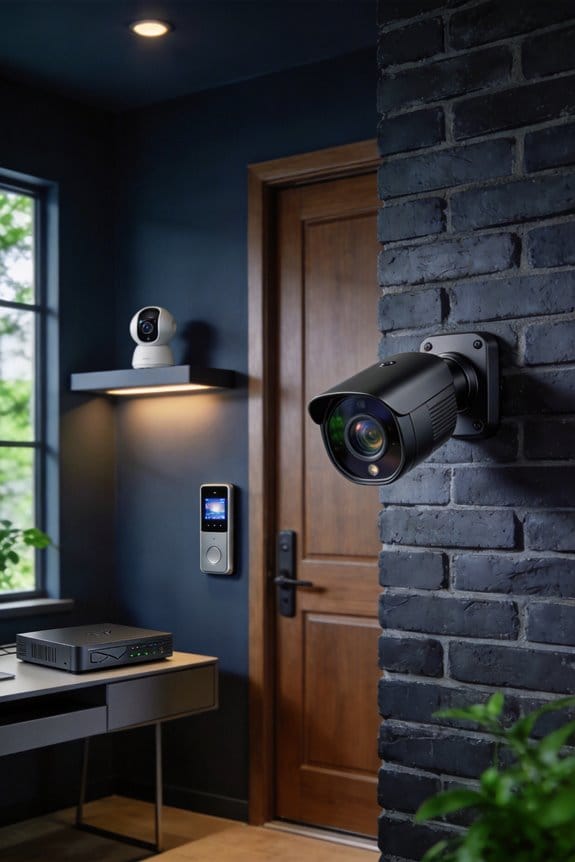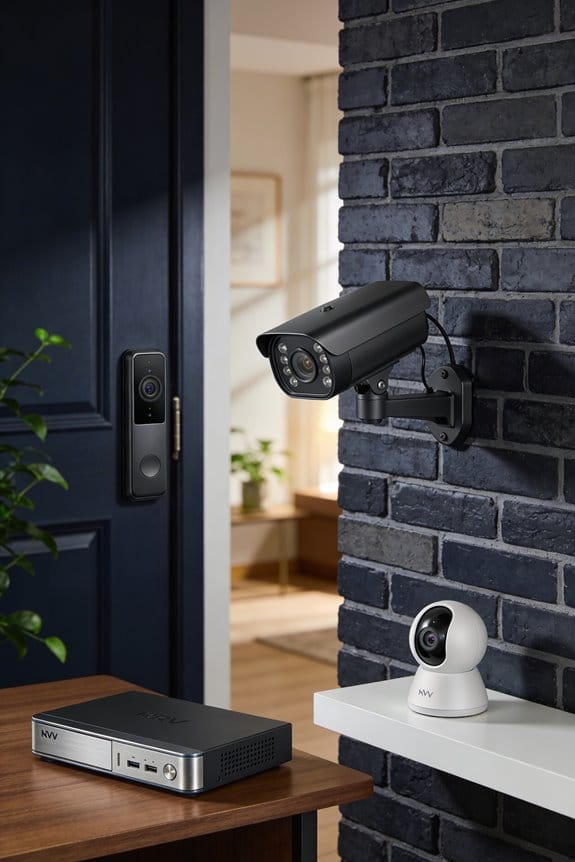


I recommend starting your IoT camera audit by scanning your network with tools like Fing or Advanced IP Scanner to identify all connected cameras, checking their IP addresses, manufacturer details, and open ports. Next, I verify if cameras are visible online using Shodan.io with your public IP, review router port forwarding settings, and test access from cellular networks to simulate external threats. Then I update firmware, replace default passwords with 16-character complex ones, enable encryption, and monitor network traffic for anomalies using intrusion detection systems—the complete checklist below covers monthly maintenance procedures that prevent unauthorized access.
Key Takeaways
- Homeowners scan networks with tools like Fing to discover IoT cameras, revealing IP addresses, manufacturers, and open ports for vulnerability assessment.
- They check Shodan.io using their public IP and test router port forwarding to identify cameras exposed to the internet.
- Firmware updates are prioritized and default passwords replaced with complex 16-character credentials stored in password managers.
- Traffic analysis tools monitor bandwidth usage and connection patterns while intrusion detection systems alert homeowners to suspicious activities.
- Monthly audits verify firmware updates, strong passwords, encrypted data transmission, and review network logs for unusual traffic patterns.
Map Every IoT Camera on Your Network
Have you ever wondered how many IoT cameras are hanging around in your home network? It can be a bit alarming to think about all those potential security risks lurking in the shadows. The first thing you should do is take stock of what’s actually connected to your network, especially your cameras. A comprehensive inventory helps you spot vulnerabilities and take charge of your security.
To get started, you’ll want to use scanning tools that can find every device linked to your Wi-Fi. Try using Fing or Advanced IP Scanner; they’re great for discovering all sorts of devices, from your cameras to printers and smart thermostats. These tools typically take about 5 to 30 minutes to provide details like IP addresses, MAC addresses, manufacturer information, and even open ports. Just make sure to connect to your main Wi-Fi, not a guest network, to get the full picture.
After running the scan, export your findings into a CSV file. This will keep your master device record organized. Pay special attention to default manufacturer names like “Ring-Camera-Living-Room” and any devices you don’t recognize. These might be warning signs that you need to act quickly.
So, why does this matter? Knowing exactly what’s on your network can help you spot gaps in security and protect your home. You’ll be better equipped to address any potential risks right away, ensuring that your IoT cameras—and the rest of your smart devices—are safely monitored.
In short, scanning your network for IoT cameras isn’t just a tech task; it’s a safeguard for your home. What’s keeping you from taking this first step?
Recommended Products

50m Long-Range LiDAR Scanning: Capture large indoor and outdoor environments with a powerful 50-meter scanning radius. Ideal for architecture, construction sites, urban streets, warehouses, stadiums, caves, and landscape mapping projects.

[Windows-based Enterprise Mobility]: With optimized hardware platform, pre-installed Windows 11 IOT Enterprise OS, 8GB LPDDR4 + 128GB EMMC + expandable memory, this rugged handheld tablet can be widely used for windows-based enterprise mobile applications, provides familiar UI for enterprise users, as well as upgraded data security, enhanced system efficiency, reduced maintenance & improved productivity.

Powerful Performance: QCM SD665 SoC with 8GB+128GB offers snappy response. Enjoy effortless app launches, multi-tasking, wireless CarPlay/Android Auto/MirrorLink, and future-proof firmware upgrades on a refined, custom AICE 13 UI
Check If Your Cameras Are Visible From the Internet

Now that you’ve got a complete map of all the cameras on your internal network, it’s time to tackle an important question: Are those devices visible to everyone on the internet? If the answer is yes, that could be an open door for unauthorized viewers to tap into your camera feeds.
Try this: head over to Shodan.io and plug in your public IP address. You can find this by typing “what is my IP” into your browser’s search bar. Shodan’s got a knack for cataloging internet-connected devices, and it’ll show you if your cameras are exposed online.
Don’t stop there, though. Take a good look at your router’s port forwarding settings. Misconfigurations often lead to unintended visibility of your devices to the outside world. And here’s a quick tip: test whether you can access your camera feeds from a cellular network – not just WiFi. This little trick simulates how an external attacker might try to breach your system.
So, why does this matter? Because you want to protect your privacy and keep those feeds secure. If you discover any alarming exposure, you’ll have the chance to fix it before it becomes a bigger issue.
Recommended Products

The M4300-52G-PoE+ provides 48 Gigabit PoE+ ports with 2 10GBASE-T and 2 10GBASE-X SFP+ uplinks all independent and 1G backward compatible

Access devices from anywhere in the world: remotely monitor, access and control serial-based networking equipment from anywhere through one highly secure Gateway. Manage routers, UPS systems and other serial-based equipment from anywhere at any time 24/7

Find Cameras With Default Passwords or Old Firmware

After confirming your cameras aren’t exposed to the internet, it’s time to address a common issue in IoT security: default passwords and outdated firmware. Start by logging into each camera’s admin interface with the default credentials you can find online. This quick step will reveal if previous owners or installers left those settings unchanged.
Next, you’ll want to check the firmware. Head over to the system settings menu where the current version is listed, then compare it to what the manufacturer has on their website. If you discover any devices are still running factory passwords or firmware that’s older than six months, mark them for immediate attention. These are the vulnerabilities that attackers often exploit first when they target home networks.
So, why does this matter? Because keeping your devices secure starts with the basics. The best part is that changing those passwords and updating firmware are simple tasks that can make a big difference in keeping your home safe.
Update Firmware and Change Passwords on Vulnerable Cameras
Have you ever thought about how easily someone could access your home security cameras? Updating firmware and changing passwords on these devices should be at the top of your to-do list, since they tackle the most frequent ways that attackers get into home IoT networks.
Start with the firmware. Log into each camera’s web interface or grab the companion app. Head to the settings menu and check if there are any updates available from the manufacturer. A lot of modern cameras even have automatic update options. Use that feature if it’s available, so you can keep your camera secure against any new vulnerabilities that crop up.
When it comes to passwords, this is crucial. Replace all the default passwords with ones that are unique and complex. Aim for at least 16 characters, mixing uppercase letters, lowercase letters, numbers, and symbols. Storing these passwords in a reliable password manager is a smart move, too. That way, you won’t be tempted to reuse passwords across different devices, which can make you vulnerable to credential-stuffing attacks.
So, why does this matter? Because taking these steps can significantly reduce the risk of someone accessing your camera feeds. The best part is, once you’ve done this, you can feel a lot more secure in your home.
In short, don’t skip these updates and password changes. They play a huge role in keeping your home tech safe. What steps are you planning to take to secure your own devices?
Recommended Products

Powerful Performance: QCM SD665 SoC with 8GB+128GB offers snappy response. Enjoy effortless app launches, multi-tasking, wireless CarPlay/Android Auto/MirrorLink, and future-proof firmware upgrades on a refined, custom AICE 13 UI

Powerful Performance: QCM SD665 SoC with 8GB+128GB offers snappy response. Enjoy effortless app launches, multi-tasking, wireless CarPlay/Android Auto/MirrorLink, and future-proof firmware updates on a refined, custom AICE 13 UI

6GHz WiFi band dedicated to WiFi 6E devices including Samsung Galaxy S21 Ultra 5G. Enjoy 4K/8K video streaming, AR/VR gaming and HD videoconferencing
Monitor Your IoT Camera Traffic for Suspicious Activity
Have you ever thought about how secure your IoT cameras really are? Keeping your cameras safe isn’t just about updating firmware and changing passwords; it’s about staying vigilant as data zips across your network. Active monitoring is key—it’s your best defense against potential threats.
Try this: install traffic analysis tools that help you keep an eye on your IoT cameras. Get to know what’s normal by tracking bandwidth usage, connection frequency, and typical data transfer volumes. This way, you can quickly spot anything unusual.
You should also set up intrusion detection systems. These tools can give you a heads-up if something fishy is happening, like unexpected outbound connections or unfamiliar IP addresses trying to access your cameras. It’s a simple yet effective way to stay one step ahead of cybercriminals.
Don’t forget about data encryption. Make sure that’s active by checking for HTTPS connections and secure protocols in your router logs. Without proper encryption, your data is at risk.
Another tip? Set up automated alerts for large file transfers over 100MB in a day. This could be a sign that someone’s trying to steal footage. Also, taking a peek at your network logs on a weekly basis can help you catch anomalies before they lead to bigger problems.
Honestly, it’s all about being proactive. Keeping your IoT cameras secure involves a mix of technology and good habits. So, how proactive are you being about monitoring your camera traffic?
Recommended Products

48-PORT POE+ SWITCHING: Managed Gigabit Ethernet switch with 48 PoE+ ports delivering up to 720W total power budget for access points, cameras, phones, and IoT devices

The bundle includes Synology IP Camera License Pack for 8 (CLP8) and Synology IP Camera License Pack for 4 (CLP4) to connect up to 12 IP cameras on Synology Surveillance Station.(CLP8 provides 8 licenses and CLP4 provides 4 licenses)

LTE performance at 2G power consumption (less than 1W in idle mode) - GPS for tracking equipment
Test Your IoT Cameras for Exploitable Vulnerabilities
Have you ever wondered how secure your IoT cameras really are? Monitoring traffic is good, but just watching for an active threat isn’t enough. You need to dig deeper and test those cameras for security gaps that hackers might exploit.
Try this: run vulnerability scanning tools like Nessus or OpenVAS against your cameras every month. These tools will check for known security flaws, any outdated firmware, or configuration mistakes attackers often target. They’ll give you detailed reports that point out critical vulnerabilities and outline specific steps to fix them right away.
Here’s the trick: implementing network segmentation can significantly lower your risk. By placing your cameras on a separate VLAN from your main network, you can stop compromised cameras from sneaking into sensitive devices like your computer or smartphone.
And don’t forget about hiring penetration testers at least once a year. These pros can simulate real-world attacks and uncover weaknesses that automated scanning tools might overlook in your camera setup. So, why does this matter? Because knowing where you’re vulnerable is the first step in making your cameras more secure.
To wrap it up, keeping your IoT cameras safe means more than just monitoring traffic. Regular vulnerability scans and network segmentation can make a big difference. Are you ready to take a more proactive approach to your camera security?
Monthly IoT Camera Security Audit Checklist
Have you thought about how to keep your IoT camera secure after you’ve made improvements? It’s easy to feel like you’ve checked all the boxes, but security doesn’t stop once the vulnerabilities are patched. You need ongoing maintenance to ensure those improvements actually hold up over time.
A monthly audit checklist can make a world of difference in keeping your IoT camera network safe from new threats. Here are some key items to include:
- Check for firmware updates on all devices. These updates often fix newly discovered vulnerabilities.
- Ensure your passwords are strong and haven’t been left unchanged since you set them up.
- Review what permissions your companion apps have. Are they asking for more data than necessary?
- Confirm that your data transmission is encrypted to keep it secure.
It’s also wise to monitor your network logs. Are there any unusual traffic patterns you should be worried about? Make sure unnecessary features and ports are disabled, and verify that your backup configurations are still in line with current security standards.
So, why does this matter? Well, documenting how you comply with relevant privacy regulations is crucial. Also, testing your remote access restrictions can help prevent unwanted intrusions. Regularly review your user access lists to remove outdated permissions that could be a potential risk.
This kind of structured approach to monitoring your security helps maintain a solid baseline, and it can quickly show you when things might start to drift out of place. After all, the last thing you want is for an attacker to find a weakness in your defenses.
Frequently Asked Questions
Can Iot Cameras on Separate VLANS Still Communicate With Compromised Devices?
Better safe than sorry—I’ll tell you that proper VLAN segmentation creates network isolation barriers preventing your IoT cameras from communicating with compromised devices. However, misconfigurations or firewall rules allowing cross-VLAN traffic can undermine this protection entirely.
What Happens to Recorded Footage if My Camera Manufacturer Goes Bankrupt?
If your manufacturer goes bankrupt, you’ll likely lose cloud-based recording access permanently. I recommend implementing local storage solutions now for footage retrieval independence, ensuring you’re not relying solely on cloud services that could disappear without notice.
Do Smart Home Insurance Policies Cover Damages From Hacked Iot Cameras?
I’ve found that most smart home policies don’t automatically cover damages from hacked IoT cameras. You’ll need specific cyber insurance coverage or endorsements, as standard insurance coverage typically excludes digital security breaches and their resulting damages.
Should I Disable Cameras Completely When Away or Maintain Continuous Monitoring?
I’d maintain continuous monitoring but disable remote access when away to balance security and functionality. This addresses privacy concerns while keeping local recording active. You’ll still capture incidents without exposing cameras to internet-based attacks.
Can My ISP See Unencrypted Video Feeds From My Iot Cameras?
Yes, I’d be concerned about ISP monitoring of unencrypted feeds from your cameras. Without proper video security and data privacy measures, your ISP can potentially access unencrypted video streams traveling through their network infrastructure.