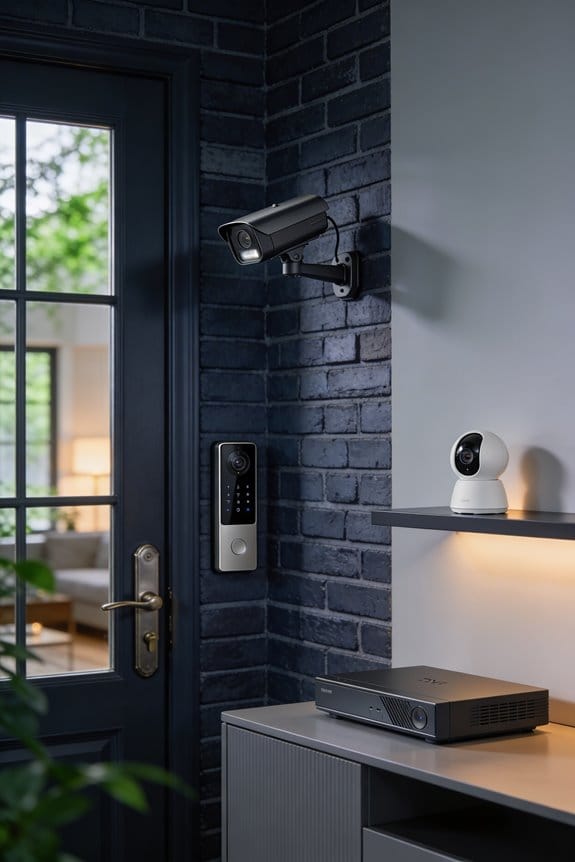


I’ve watched hardware privacy shutters evolve from premium laptop features into essential components for indoor cameras and security devices, driven by documented cases where hackers bypassed software indicator lights to remotely activate cameras without detection. Companies like HP and SimpliSafe now integrate physical shutters made from durable materials like stainless steel, giving you complete control independent of operating systems or drivers. This shift reflects growing consumer demand for unhackable solutions, especially as awareness of webcam vulnerabilities influences purchasing decisions, and the sections below detail which specific products include these protections.
Key Takeaways
- Hardware privacy shutters provide physical barriers against webcam hacking, preventing unauthorized remote access that bypasses software and indicator lights.
- Premium devices like HP EliteBook laptops and SimpliSafe cameras now integrate stainless steel shutters for enhanced user privacy control.
- Physical shutters eliminate dependence on operating systems or drivers, offering manual control that software vulnerabilities cannot compromise.
- Growing consumer demand for unhackable privacy solutions is driving manufacturers to adopt hardware shutters in professional-grade monitoring devices.
- Market trends show increasing privacy-conscious purchasing decisions, with budget devices lacking shutters creating potential consumer regret by 2026.
How Physical Camera Shutters Block Webcam Hackers Completely
Have you ever thought about how vulnerable your webcam might be? Hackers can gain remote access to your computer and turn on your webcam without you even knowing—thanks to malware that skips the indicator light. That can feel pretty creepy, right? The good news is, there’s a simple solution: a physical shutter for your webcam.
Try this: Look for hardware security options, like a slide mechanism. These little devices are fantastic because they don’t rely on your computer’s operating system, drivers, or even a network connection. This creates a barrier that’s tough for hackers to breach. When the shutter is in place, it physically blocks the lens with tough materials like plastic or stainless steel, ensuring no one can use your camera without your permission.
So, why does this matter? Well, using a physical shutter gives you complete control. No remote hacker can command a mechanical component like this—you’re the one who decides when your webcam is open. Just slide the cover shut when you’re not on a video call. This way, you can greatly reduce the risk of being spied on due to malware, zero-day exploits, or someone sneaking in through your system.
The best part is, you don’t need to be tech-savvy to use it, and there’s no need for ongoing maintenance. You just install it and you’re good to go!
If privacy matters to you, consider this easy take on webcam security. Do you have other methods for keeping your digital life safe?
Physical Shutter vs. Software Controls: Which Actually Protects You?

How do you make the choice between a physical shutter and software camera controls when it comes to protecting your privacy? It might seem like a small decision, but it’s definitely worth considering. The reality is that physical shutters can give you a level of security that software just can’t match.
Here’s why I lean towards physical shutters: They eliminate the risk of software vulnerabilities. Hackers love to exploit weaknesses in software through malware or remote access trojans, which means your camera could be on without you ever knowing it. Software-based controls can be disabled or bypassed so easily. You might think your camera is off, but who knows what’s really happening behind the scenes?
Take HP business laptops or SimpliSafe indoor cameras, for example. They feature physical shutters that you have to manually open. That’s real peace of mind right there. The stainless steel mechanism covers the lens completely, making it impossible for anyone to access your camera without your consent. You can’t say that about software controls, can you? Plus, these unhackable shutters usually cost less than $10 on many devices, which makes them an affordable option for keeping yourself safe.
So, why does this matter? Well, your privacy shouldn’t feel like a gamble. In a world where everything is connected, taking simple steps to secure your personal space is essential. Consider investing in a device with a physical shutter; it could save you from potential headaches down the line.
To sum it up, if you want true privacy, go for a physical shutter. It’s the trustworthy choice when protecting yourself from potential online threats. What are you waiting for?
Recommended Products

Large Four Thirds sensor - 17 MP [4: 3 aspect] high-sensitivity multi-aspect Four Thirds MOS sensor. 4: 3, 3: 2, 16: 9, 1: 1 multi-aspect modes taken from 21.77 Megapixel total count

Legendary LUMIX LX Series with manual controls Designed to Inspire Creativity. Lens: null/LEICA DC VARIO SUMMILUX/11 elements in 8 groups/(5 Aspherical Lenses/8 Aspherical Surfaces/2 Dual sided Aspherical Surface ED Lenses)

Employs the legendary "Sonnar" optical design for standout image dimensionality and presence
5 Must-Have Features Beyond the Privacy Shutter Itself

A privacy shutter alone isn’t going to cut it if the rest of your camera setup isn’t up to par. So, what should you really be looking for? Let’s break it down.
First off, make sure your camera has 1080p HD resolution and a minimum 120-degree field of view. You want to capture as much as possible, right? Night vision is also a must for round-the-clock monitoring. Two-way audio can be a game-changer for keeping you aware of what’s happening around your camera.
Here’s the trick: look for features like tamper detection and video motion alerts. These can alert you if something seems off. Plus, ensure the camera offers encrypted remote access via the manufacturer’s app. It’s key to keep your feed safe when checking in from your phone.
Smart home integrations with devices like Alexa or Google Home are also very handy without sacrificing security. You’ll appreciate having everything work together seamlessly. And don’t forget the user-friendly designs with straightforward mobile apps—it makes managing your camera so much easier.
Also, consider Power over Ethernet (PoE) options for reliable connectivity. And check if the camera offers cloud storage plans with a decent retention period, like 30 days. That way, your privacy-focused camera really delivers more than just a physical shutter.
In the end, look for a camera that ticks all these boxes, and you’ll have peace of mind knowing you’re covered. So, what features are must-haves on your list?
Recommended Products

Video Connections: HDMI, 3G-SDI & IP Streaming

ULTRA POWER, PERFORMANCE, AND PRODUCTIVITY – The newest ThinkPad E16 is engineered for demanding business users, with AI-enhanced performance that streamlines workflows and boosts efficiency.

【Processor】Powered by Intel Core i5-1335U, a 13th Gen processor with 10 cores (2 Performance + 8 Efficient) and 12 threads, delivering responsive performance for multitasking and everyday productivity. With Intel Turbo Boost Technology, it reaches up to 4.6 GHz, providing smooth operation for work, study, and entertainment. Integrated Intel UHD Graphics ensures clear visuals and efficient performance for streaming, collaboration, and daily computing.
6 Webcams and Security Cameras With Built-In Physical Shutters
Have you ever felt uneasy about your webcam being on without your permission? If you have, you’re not alone. Thankfully, a few brands are taking this concern seriously with laptops and security cameras that come equipped with physical webcam shutters.
HP’s EliteBook series offers a fantastic feature: integrated camera shutters that slide over the lens. This means you don’t have to rely on software toggles to protect your privacy. If you’re looking for cameras, SimpliSafe’s indoor models also come with stainless steel shutters, completely blocking their 1080p HD lens. This setup ensures that no pesky software vulnerabilities can compromise your home security.
When it comes to design, these shutters aren’t just practical; they’re built with smooth operation in mind. You want them to last, right? So, they’re made to handle thousands of open-close cycles without a hitch. Plus, they blend nicely into the overall design of the device instead of sticking out like a sore thumb. Just check out HP’s sleek mechanisms or SimpliSafe’s flush-mounted shutters—they don’t look like afterthoughts at all.
While many people worry about hackers, these physical shutters are a great way to sidestep those concerns altogether. They don’t require drivers or risk software conflicts. Truth is, that kind of unhackable privacy protection is becoming essential for both cost-conscious consumers and security-focused businesses.
Recommended Products

Processor: 13th Generation Intel Core i9-13980HX Processor (E-cores up to 4.00 GHz P-cores up to 5.60 GHz)

ISV-CERTIFIED MOBILE WORKSTATION – Built for professional software including AutoCAD, SolidWorks, Creo, ANSYS, and MATLAB. ISV certifications and MIL-STD durability ensure reliable performance for engineers, architects, and designers working on complex projects

Operating System Windows 11 Pro 64 (EN:English); Intel Core Ultra 9 185H vPro Processor (E-cores up to 3.80 GHz P-cores up to 5.10 GHz); AI-Ready Workstations
Do Physical Camera Shutters Work on All Laptop Models?
Not every laptop out there has a physical camera shutter, and that can be frustrating. The compatibility really hinges on the brand and model you choose, rather than any technical barriers. For example, HP stands out with many of their business-class laptops sporting integrated shutters, while a good number of consumer laptops still miss this crucial feature.
So, why does this matter? A physical shutter can be your secret weapon for privacy. When you have one, it effectively blocks the camera lens with a solid mechanism—there’s no way for hackers to sneak a peek. If you’re in the market for a new laptop, it’s a smart move to check the specs closely. Typically, premium models from brands like HP, Lenovo (especially the ThinkPad series), and Dell (the Latitude lines) come equipped with these shutters.
If you find yourself stuck with a laptop that doesn’t have one, don’t worry! Aftermarket stick-on shutters are affordable and simple to use, usually priced under $10. They give you that extra layer of protection for your privacy, no matter what device you’re using.
Recommended Products

【Power When Things Get Busy】 This HP laptop runs on a 10-core Intel Core 7 150U processor—offering up to 15% better multitasking than the i7-1355U. This HP laptop is built for multitaskers, and paired with 32GB LPDDR5 RAM, about 50% faster than DDR4, it’s ready for spreadsheets, research, and quick switching between all your daily tasks

Unopened retail packaging, sold as configured by Lenovo. US Version. One Year Premier Onsite Support Lenovo Warranty. Add up to 5 years of Lenovo Premier Support when you register your computer with Lenovo.
Unopened retail packaging, sold as configured by Lenovo. US Version. One Year Premier Onsite Support Lenovo Warranty. Add up to 5 years of Lenovo Premier Support when you register your computer with Lenovo.
Are Manual Privacy Shutters Becoming Standard by 2026?
Are Manual Privacy Shutters Becoming Standard by 2026?
Have you ever worried about being watched through your laptop or camera? You’re not alone. Manual privacy shutters are popping up more and more in the laptop and camera worlds. Still, saying they’ll be the norm by 2026 might be a bit optimistic.
Take HP, for example. They’re introducing physical shutters in their premium business laptops, which is a reassuring move for many. And then there’s SimpliSafe, which has added stainless steel shutters to all their indoor camera models. These changes reflect a noticeable shift in what consumers want: more unhackable ways to protect their privacy. But keep in mind, budget devices usually miss out on these features. This creates a clear line between cheap models and professional gear.
So, if you’re shopping for a camera or laptop, you might find some multi-camera kits out there that come equipped with shutters. However, not every brand is on board yet, which means the adoption isn’t exactly consistent across the board. Honestly, you might notice that as manufacturers try to juggle costs with growing privacy concerns, it could take a little longer for these shutters to be everywhere we want them to be.
Recommended Products

Released in early 2024, Lenovo’s 12th generation of the flagship ThinkPad X1 Carbon is a powerhouse of performance boosting features in an ultrathin and ultralight form factor. Gen 12 X1 Carbon updates include Intel’s 14th-gen Meteor Lake Core Ultra processors bringing improved graphics performance, stronger multi-core performance, AI capabilities, and greater power efficiency without sacrificing performance.
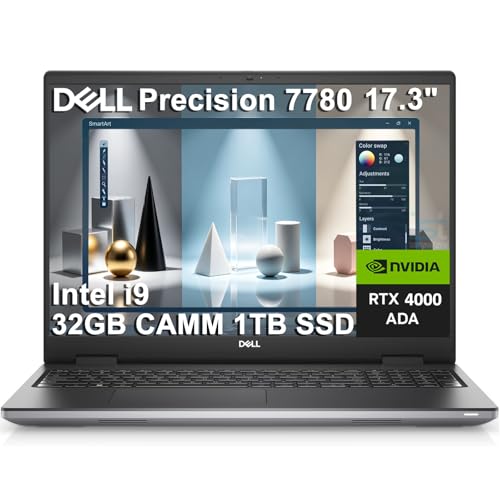
POWERFUL FOR CREATIVITY - The Dell Precision 7000 series stand at the top of the Precision lineup, delivering higher performance and expandability than the 3000 and 5000 series for demanding professional workloads. As a flagship model, the Precision 7780 showcases Dell’s high‑end workstation design with powerful, scalable capabilities, aligned with the evolution of the Dell Pro Max series. Equipped with an NVIDIA RTX 4000 Ada 12GB GPU, it delivers the performance and stability required for professionals in design, architecture and photography.
Frequently Asked Questions
Can Physical Shutters Wear Out or Break Over Time?
Yes, I’ve seen physical shutters wear out over time. Shutter materials durability varies by quality—plastic weakens faster than metal. Watch for mechanical failure signs like loose slides, cracks, or difficulty opening. Regular gentle use helps extend their lifespan considerably.
Do Privacy Shutters Affect Camera Quality When Open?
I’ve found that privacy shutters don’t affect camera resolution impact when fully open. Manufacturers design them to retract completely outside the lens view. Modern shutter design aesthetics guarantee zero interference with video quality or field of view during use.
Are There Universal Aftermarket Shutters for Older Devices?
Want privacy on that old webcam? I’ve found several aftermarket solutions offering sliding covers that stick onto existing cameras. However, you’ll need to verify device compatibility carefully, since lens sizes and placements vary considerably across different models.
How Do I Clean Around the Shutter Mechanism?
I’d gently wipe around the shutter with a microfiber cloth and compressed air to remove dust. For stubborn debris, I’d use a soft brush. Following these shutter maintenance tips with proper cleaning tools prevents mechanism jamming and guarantees smooth operation.
Will Shutters Void My Device Warranty?
I’ve found that built-in shutters won’t void your warranty since they’re factory-installed features, not device modifications. However, I’d recommend checking your specific manufacturer’s warranty policies to confirm coverage terms before making any aftermarket additions.