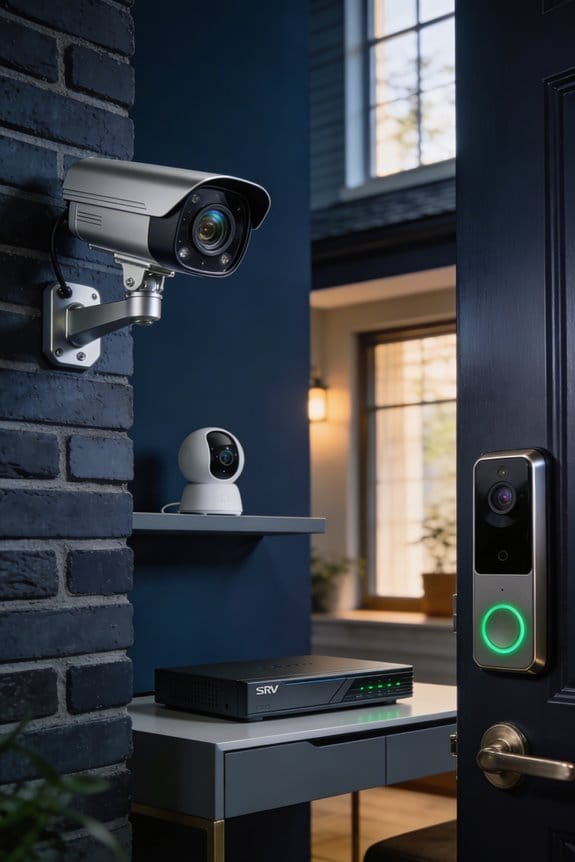


SSDs aren’t fully replacing HDDs in modern NVR units—instead, I’m seeing a shift toward hybrid storage configurations where SSDs handle recent footage for instant playback at 440-450 MB/s while HDDs archive older recordings at $25-50 per terabyte compared to SSDs’ $80-150 per terabyte. This approach avoids SSD write cycle limitations during 24/7 recording, leverages HDD capacity for long-term retention, and balances performance with cost-effectiveness. The sections below explain how to configure this dual-storage strategy for your specific surveillance needs.
Key Takeaways
- SSDs offer faster speeds (440-450 MB/s) compared to HDDs (182-265 MB/s), improving access to recent surveillance footage and system responsiveness.
- Modern NVR units increasingly adopt hybrid storage solutions, using SSDs for immediate access and HDDs for cost-effective long-term archiving.
- SSDs provide silent operation, shock resistance, and compact form factors, making them ideal for space-constrained or noise-sensitive surveillance environments.
- Write cycle limitations (TBW) and higher costs per terabyte still favor HDDs for continuous 24/7 recording and bulk storage needs.
- Automatic tiering systems transfer older footage from SSDs to HDDs, balancing performance with storage costs and extending overall system lifespan.
When to Choose SSD or HDD for Your NVR System
How do you decide if an SSD or HDD fits your NVR needs? It’s all about three key factors: how long you want to keep your recordings, how much cash you can spare, and the environment where your setup lives. If you’ve got eight cameras running non-stop, an SSD with around 700 TBW can last about seven years, giving you speed, quiet operation, and resilience. Those are some solid perks!
But let’s be real—if you’re after mass storage without breaking the bank, HDDs are where it’s at. They hold heaps of data at a lower cost per gigabyte, making them perfect for budget-minded projects. Just keep in mind, there are risks. HDDs have moving parts that can fail, plus they can be a bit noisy when in action.
For those looking at long-term retention, HDDs make a lot of sense, thanks to their great capacity-to-price ratio and the fact that you won’t have to worry about write cycles. Now, if quick access, quiet performance, and energy efficiency are on your checklist, SSDs bring all that—and their read/write speeds can hit around 440-450 MB/s, which is impressive for systems like Ubiquiti’s UNAS Pro.
NVR Storage Speed: How SSDs and HDDs Compare at SATA III

When you’re diving into the world of NVR systems, you might be wondering if SSDs or HDDs are the better choice for performance. It’s a tricky question because the SATA III interface puts a ceiling on the speeds—capping them at 600 MB/s no matter what the drive can really do.
Performance Benchmarks in Real-World Testing****
In real-life tests, SSDs can hit around 440-450 MB/s with devices like the Ubiquiti UNAS Pro. On the other hand, HDDs, such as the Western Digital Purple, typically range from 182-265 MB/s when unencrypted. Sure, those SSD speeds showcase their raw throughput capabilities. But if you’re doing surveillance, isn’t it good to know that 200 MB/s is generally all you need for recording multiple camera feeds?
SATA III’s Limiting Effect
One thing to note is that the SATA III interface slows down high-spec SSDs that could otherwise reach up to 12 GB/s. So, if you’re considering a fancy PCIe 5.0 SSD, the gains might only be minimal. The truth is, when it comes to video playback and switching between feeds, the bottleneck often lies more with your network speed than the storage type itself. This means HDDs can still get the job done just fine for most NVR setups.
To wrap it up, while SSDs offer some impressive numbers, HDDs hold their own for the demands of surveillance. So, what’s your priority—speed or storage capacity? That’s something to think about as you make your choice!
SSD Write Limits vs. HDD Longevity in 24/7 Recording

When you’re setting up a surveillance system, what’s the best choice for storage—SSDs or HDDs? It’s a common dilemma, and while SSDs can offer some impressive speed, they come with limitations that might surprise you, especially if you plan to record continuously.
SSDs have something called TBW, or Terabytes Written, which is a fancy way of measuring how much data you can write to them over their lifetime. For example, a typical SSD rated for 700 TBW, when used for recording eight cameras 24/7, is likely to wear out in about seven years. Sounds fine until you think about how many hours of video that really is. In contrast, HDDs don’t have this finite write cycle limitation. They can handle the constant data overwriting much better, making them a more reliable option for long-term surveillance.
So, why does this matter? If your security footage is critical, you want to make sure you don’t lose it. There’s also the data recovery angle. If an HDD fails, you often have a better shot at recovering lost footage compared to an SSD. With SSDs, the way data is stored means once those cells degrade, your footage might be lost for good. This creates a real risk for security footage retention that you just can’t overlook.
Here’s the trick: If you plan on running a 24/7 recording setup, sticking with HDDs might be the safer bet. They offer durability and better recovery options when failure happens. It’s all about making choices that align with your specific needs.
Why HDDs Win on Cost per Terabyte for Video Storage
When diving into the world of surveillance systems, you’ve probably realized that storage costs can spiral out of control fast. So, what’s the real difference between HDDs and SSDs? It boils down to price per terabyte; and honestly, HDDs come out on top almost every time.
HDD pricing is hard to beat, especially for bulk video storage. You can find high-capacity drives that offer 4-8TB for around $100-200. That works out to about $25-50 per terabyte. In contrast, if you look at SSDs, you’re often staring at prices between $80-150 per terabyte. That means you could be paying two to three times as much for the same storage capacity—yikes! So, if you’re planning on storing weeks or even months of footage from multiple cameras, those HDD capacity advantages become a no-brainer. Just think about it: eight cameras running at 4MP resolution could easily fill up to 16TB!
Here’s the trick: if you’re working on a budget for your NVR deployments, HDDs are still the way to go, even when you consider the snappy performance of SSDs. When cost is a factor, you simply can’t ignore these savings.
Frankly, when you’re in the thick of building your surveillance setup, protecting your wallet is crucial. That’s why understanding storage options can make all the difference.
In the end, weighing the cost per terabyte is vital for making smart decisions. Knowing the numbers helps you plan better, doesn’t it? What will you choose for your next project?
Recommended Products

(1) 1GB = 1 billion bytes and 1TB = 1 trillion bytes. Actual user capacity may be less depending on operating environment.

12Gb/s SAS Expander Technology - Connect 32 SAS or SATA drives with only one single SFF-8644 to 8644 HD Mini-.SAS cable to HBA (Host Bus Adapter) or RAID controller.

Eight universal 2.5 or 3.5-inch SSDs/HDDs drive bays w/ Dual Thunderbolt 3 ports (Thunderbolt 2/Thunderbolt backward compatible)
How SSDs Cut Power Use and Eliminate Noise in NVRs
Ever notice that constant buzzing or humming sound coming from your hard drives while using an NVR in your home office or a retail space? It can really get on your nerves, especially in quieter environments like reception areas or small offices. That’s where SSDs come in handy. They operate silently, thanks to their lack of moving parts like spinning platters.
No noise means a more peaceful workspace—perfect for those times when you need to focus or when customers walk in. And there’s more to SSDs than just being quiet. They also use way less power than traditional HDDs. This efficiency is super valuable, especially during long recording sessions.
Here’s the kicker: while SSDs do come with a higher price tag upfront, think about the money you’ll save on electricity over time. Reduced power consumption leads to lower bills, which can help offset those initial costs in the long run.
So, why does this matter? If you’re setting up an NVR system, consider the benefits of making the switch to SSDs. You might find they not only improve your audio environment but also trim your operational expenses.
In short, SSDs offer noise-free operation and energy savings that can really add up. Are you ready to rethink your storage options?
Hybrid NVR Storage: SSD for Recent Footage, HDD for Archives
When you’re juggling surveillance footage from a bunch of cameras, it doesn’t take long to realize that not all video data is created equal. If you’re trying to make sense of how to store that footage efficiently, consider a hybrid storage approach. It combines SSDs for quick-access recent footage with HDDs for long-term archives. You’re not just looking for a balance between speed and cost—it’s about making your system work smarter.
Try this: set your NVR to save recordings from the past 24 to 72 hours on an SSD. After all, that’s likely when you need to access footage the most, whether you’re reviewing incidents or checking on events. Once that time window passes, you can automatically transfer the older footage to high-capacity HDDs. This setup gives you speedy access—think about those SSD speeds, hitting 440-450 MB/s on systems like Ubiquiti’s UNAS Pro—when you need it, without breaking the bank.
Honestly, the benefits are clear. By opting for SSDs over an all-SSD setup, you’re avoiding the TBW limits that come with them. This means you’re extending the lifespan of your system while keeping quick access to the critical events that matter most. Plus, using HDDs for archive purposes means you won’t overspend on that huge solid-state capacity.
So, why does this matter? If you think about it, you’ll want to balance your need for speed with the practicality of storage costs. In the world of security footage, having a well-thought-out storage plan can save you both headache and money in the long run.
To wrap it all up, using a combo of SSDs for immediate access and HDDs for backups is the way to go. Are you ready to rethink your setup?
Frequently Asked Questions
Can NVRS Use PCIE 4.0 or 5.0 SSDS for Faster Performance?
Most NVRs can’t use PCIe 4.0 or 5.0 SSDs—they’re limited to SATA III connections. While PCIe advantages include incredible speeds, NVR upgrades remain constrained by design. I’d verify your specific model’s interface before investing in high-end drives.
Do SSDS Improve AI Analytics or Motion Detection Processing in NVRS?
SSDs don’t directly boost AI efficiency or motion analysis in NVRs—those tasks rely on CPU/GPU power, not storage speed. However, I’ve found SSDs can speed up retrieving recorded footage for post-event AI processing compared to HDDs.
Which SSD Brands Are Most Reliable for Continuous Surveillance Recording?
Choosing the right SSD isn’t rocket science. I’d recommend Samsung for reliability, vital for endurance, Western Digital for performance, and Kingston for longevity in surveillance. Each brand offers proven durability for continuous recording demands you’ll face.
How Does Video Resolution Affect SSD Versus HDD Lifespan in NVRS?
Higher video resolution increases write volume, accelerating SSD wear through faster TBW consumption while HDDs remain largely unaffected. I’d recommend conducting a storage durability analysis since video quality impact proves more critical for SSD lifespan than HDD longevity.
Are External SSDS Viable for Expanding Existing NVR Storage Capacity?
external SSDs work for expanding NVR storage, but I’d verify your NVR compatibility first. Data transfer speeds through USB ports often bottleneck SSD performance, making expensive external storage less practical than internal options.