
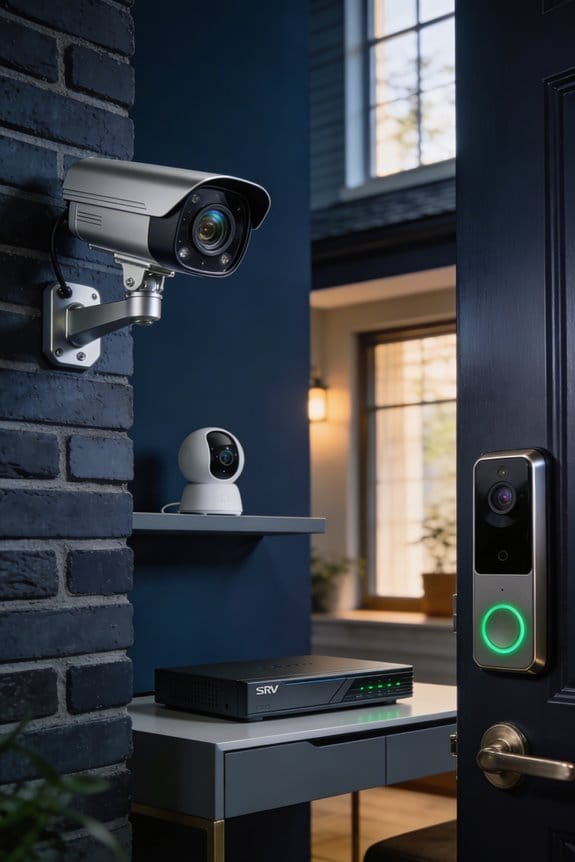

I’ve found that firmware update automation protects vulnerable NVR systems by instantly deploying critical security patches within 24 to 48 hours of release, compared to manual processes that leave 73% of systems exposed for over six months. Brands like Verkada and Lorex automatically download real-time patches during off-hours, immediately closing security gaps that hackers exploit for ransomware attacks, unauthorized camera access, and network takeovers. The sections below explain which brands offer this protection and how to enable it.
Key Takeaways
- Automatic firmware updates deliver critical security patches within 24-48 hours, protecting NVR systems from newly discovered zero-day exploits and vulnerabilities.
- Automated updates eliminate manual maintenance efforts, ensuring timely patches are applied even across multiple NVR systems at different locations.
- Systems like Verkada and Lorex automatically download and install updates during off-peak hours, preventing disruptions while maintaining security.
- Regular automatic updates reduce exposure risks from outdated firmware, which hackers actively exploit to gain unauthorized access to surveillance networks.
- Centralized management platforms enable simultaneous firmware deployment across multiple NVR sites, maintaining consistent security without excessive resource requirements.
Why Outdated NVR Firmware Invites Ransomware Attacks
When was the last time you checked your NVR firmware? If it’s been a while, you might be leaving the door wide open for cybercriminals. Outdated firmware can serve as an easy target for ransomware attacks because hackers know exactly where to look. Manufacturers often announce vulnerabilities when they release patches, basically handing attackers a map of where to strike. If you’re not keeping up with those updates, your surveillance system could easily become a weak link that malicious actors exploit.
What should you do? First things first: keep that firmware updated. If you have Verkada systems, take advantage of their automatic update feature that runs during off-hours. For folks with Lorex or eufy systems, you’ll need to stay on top of enabling those automatic checks yourself. This little task can make a big difference.
Think about this for a second: systems running firmware that’s more than six months old face dramatically higher risks of being compromised. It’s like transforming your surveillance cameras from protection into open invitations for hackers. To break it down, here are a few steps you can take:
- Check your firmware version now.
- Set reminders for regular updates.
- Ensure automatic updates are enabled where possible.
So, why does this matter? Because a small effort on your part can save you from larger headaches down the road. First, keep any eye out for those updates, and don’t get complacent about your surveillance equipment—it’s not just about footage but your entire network’s safety.
In short, stay proactive with your firmware updates to keep your systems secure. Are you ready to take that next step in securing your network?
Which NVR Brands Automate Firmware Updates?

Have you ever felt frustrated trying to keep your security cameras up-to-date? It can be such a hassle to remember to check for firmware updates on your devices. But some NVR brands have made this process easier by automating updates, which saves you time and ensures your systems stay secure.
Eufy has made a smart move with its central hubs. When connected to the internet and the mobile app, these hubs automatically update, so you don’t have to lift a finger for security patches. It’s like having a tech assistant that works while you go about your day.
Then there’s Lorex. Their NVRs and DVRs can check for firmware updates on their own, but you’ll need to turn on the automatic checks in the Main Menu under Settings. It’s a simple step that can save you from some potential headaches later.
Verkada takes another approach by installing updates automatically during off-hours. This means you won’t have to deal with downtime during the day, which is really helpful for businesses that rely on consistent security.
Lastly, if you’re looking at Security Camera King’s E Series, keep in mind that you’ll need the Smart PSS software for centralized firmware updates. It offers a semi-automated way to manage updates across multiple devices, which can make your life a lot easier if you’ve got several cameras to look after.
Recommended Products
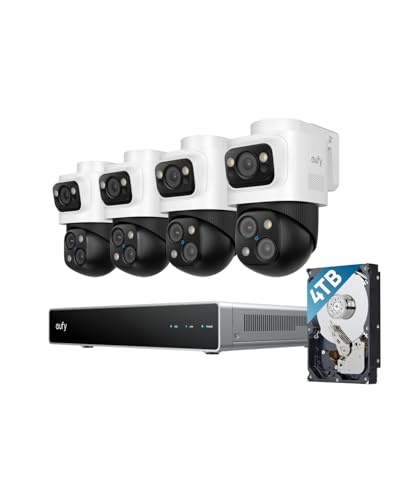
4K Triple-Lens Bullet-PTZ Camera: The upper 4K wide-angle camera provides a 122° fixed view of the entire scene, while the lower 2K PTZ camera features 8× auto-zoom and 360° pan for complete coverage. NOTE: To ensure you can use our PoE NVR Security System smoothly, please make sure your eufy APP is updated to the latest version of iOS V5.0.70/Android V5.0.71 or above.
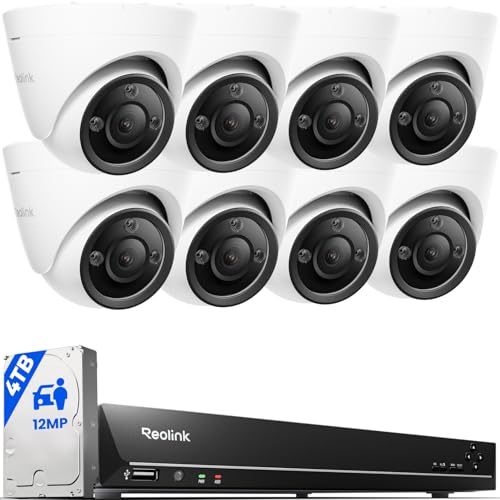
INCREDIBLE 12MP UHD IMAGE -- Mind-blowing 12MP PoE security camera system becomes affordable for your home and business security. Subtle details are recorded to ensure your peace of mind.

Max. 1280/1280/1024 Mbps Incoming/Recording/Outgoing Bandwidth.
How Auto-Updates Patch Zero-Day Exploits in Real Time

As zero-day exploits seem to pop up out of nowhere, you’ve got to be proactive about your security. Automatic firmware updates can be your first line of defense. They push critical security patches to your NVR systems right when you need them, before attackers have a chance to take advantage of any newly discovered weaknesses.
I’ve seen how systems like Verkada and Lorex check in with their manufacturers on a regular basis. They automatically download real-time patches that tackle zero-day vulnerabilities often within hours of being discovered. This automated approach seriously reduces the risk you face when a major flaw is disclosed. You don’t want your surveillance systems exposed to threats while you’re waiting around for someone to manually patch the software, right?
When manufacturers catch wind of critical flaws—thanks to security research or breach reports—they quickly compile fixes into firmware updates. These patches are then pushed to users during off-peak hours to avoid disrupting your day-to-day operations. The best part is, this means you maintain a solid security baseline without having to lift a finger. Your NVR systems get the protection they need against the latest attack methods without you worrying about it.
So why should you care? Because staying ahead of potential threats is crucial in today’s digital landscape. With zero-day exploits on the rise, having automatic updates means you’re one step closer to safeguarding your surveillance infrastructure against those lurking threats.
In short, automatic firmware updates are essential for keeping your systems secure in real-time. Isn’t that peace of mind worth it?
Recommended Products
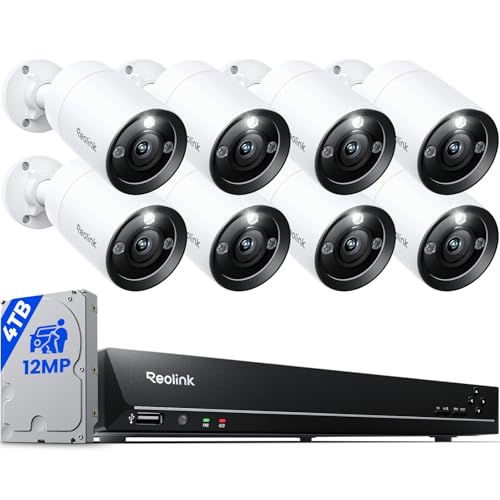
INCREDIBLE 12MP UHD IMAGE -- Mind-blowing 12MP PoE security camera system becomes affordable for your home and business security. Subtle details are recorded to ensure your peace of mind.

Max. 1280/1280/1024 Mbps Incoming/Recording/Outgoing Bandwidth.

INCREDIBLE 12MP UHD IMAGE -- Mind-blowing 12MP PoE security camera system becomes affordable for your home and business security. Subtle details are recorded to ensure your peace of mind.
Setting Up Automatic Updates on Eufy and Lorex NVRs
Setting Up Automatic Updates on Eufy and Lorex NVRs
Wondering if your security camera system is always up-to-date? You’re not alone! Many people don’t realize that NVR systems from Eufy and Lorex can handle automatic updates, but they do require a little setup on your end to kick it all off.
For Eufy systems, navigating through your app or web portal is the way to go. Head over to Settings > Firmware Update, and you’ll see options to enable automatic checks and plan when updates will be installed. The system can sync up with Eufy servers regularly to download and install security patches during those quiet hours when you’re not using it. Pretty neat, huh?
If you’ve got a Lorex NVR, the steps are just as simple. Go to the Main Menu, then Settings > System > Upgrade, and make sure to check the box next to “Automatically Check for Updates.” Don’t forget, your Lorex device needs to be connected to the internet to communicate with the manufacturer and grab those updates when they become available.
So, why does this matter? Keeping your firmware current can help safeguard your system against the latest security threats. And honestly, it’s a lot easier than having to manually check and install updates every few weeks.
To wrap it up, ensuring your NVR updates automatically isn’t a complex task, but it certainly pays off. Are you ready to take a few moments to secure your setup?
Recommended Products

4K Ultra HD Lorex NVR: 2x4TB Preinstalled HDD, 32 Channel, Maximum capacity 20TB. This NVR is compatible with IP security cameras from 720p all the way to 4K resolution. It contains built-in Power-over-Ethernet (PoE) ports and two 4TB Hard Drive.

Compatibility: Only work with ONWOTE' cameras. Using cameras from other brands will result in complete loss of functionality.
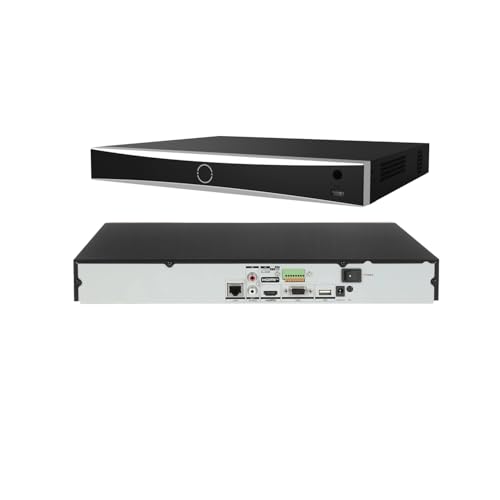
32-channel 4K NVR does not have built-in PoE ports but features self-adaptive 10/100/1000 Mbps Ethernet interfaces. To connect 32 PoE IP cameras, you will need an external PoE switch (not included). The system supports up to 32-channel IP video input with resolutions up to 12MP.
What to Back Up Before Updating NVR Firmware
Before diving into a firmware update, have you thought about what could go wrong? A good step is to set aside key files—stuff like your configuration settings, video recordings, and system logs. It’s all about being safe and avoiding potential headaches down the line.
Here’s a solid checklist for your pre-update preparations:
- Export camera settings, user credentials, and network configurations.
- Don’t forget about your scheduled recording parameters.
You can usually do this through your NVR’s web interface or app. Many systems allow you to save this data directly to an external USB drive or a network-attached storage device.
Truth is, a reliable backup strategy can save you a lot of grief. Consider creating multiple copies of your important files on various storage media. And if possible, have at least one off-site backup for those critical surveillance clips. Yes, it’s an extra step, but it’s worth it for peace of mind.
Also, make note of your current firmware version and device model before you hit that update button. And hey, verify the integrity of your backup files. A great way to do this is by testing a restoration on non-production equipment if you’ve got it.
Should You Update Your NVR Manually or Automatically?
When it comes to updating your NVR system, you might be wondering whether to go for manual updates or let it handle things automatically. It’s a bit of a balancing act—you’ve got to think about your network setup, security needs, and how much control you actually want. For internet-connected systems like Verkada and Lorex NVRs, I usually lean towards automatic updates. These systems check for updates regularly and apply patches during off-hours, which means less fuss for you.
But should you just set it and forget it? Consider your situation. If you’re managing air-gapped systems or need to approve every change, manual updates are where it’s at. You can stick a USB drive in or use the web interface to control exactly when the updates happen. This gives you full power over timing and makes sure you’ve verified the firmware before anything goes live.
Here’s the trick: if speed is your priority—automatic updates usually patch vulnerabilities within 24 to 48 hours after a release. That can really cut down your exposure window. So, what’s more important to you—having control over every detail or keeping your system protected quickly?
A quick recap: automatic updates are great for busy systems connected to the internet, while manual updates offer control for those needing extra security measures. So, which method fits your style best?
Recommended Products

INCREDIBLE 12MP UHD IMAGE -- Mind-blowing 12 Megapixel PoE security camera system becomes affordable for your home and business security. Subtle details are recorded to ensure your peace of mind. Featuring an Ultra Wide 118° field of view, the IP cameras provide a full, beautiful view beyond comparison.

5MP SUPER HD & STUNNING NIGHT VISION: Capture crystal clear videos day & night with 5MP super HD cameras. The 18pcs infrared LEDs allow you to get high-quality night vision up to 100ft, helping you to protect your property even at night. (Tip: For best results, enable "Clear" stream in settings.)

Ultra HD 4K Recording: Capture crystal-clear footage
How to Verify Your NVR Installed the Latest Firmware
You’ve gone through the hassle of updating your NVR, but how can you be sure that everything’s in order? It’s crucial to check right away if the firmware update was successful. Start by heading to Main Menu > Settings > System > About. There, you’ll see the current firmware version displayed next to your device model number and installation date. Compare this version with what’s listed on the manufacturer’s website or in their release notes. If they don’t match, it could mean the update didn’t go through completely.
Now, don’t just stop at checking the version numbers. You should definitely test out key features post-installation. Try this: take a moment to check remote viewing, motion detection, and your recording schedules. Are they all working smoothly? If everything functions as expected, you can breathe a little easier knowing that the firmware integration was likely successful.
Frankly, ensuring your NVR is running the latest firmware isn’t just about peace of mind. It can impact the effectiveness of your surveillance system. So, what’s your plan moving forward? Are you going to keep an eye on those updates regularly?
What Happens When You Skip NVR Security Updates
Skipping NVR security updates may seem harmless at first, but think about the risks involved. When you ignore that firmware update notification, you’re leaving your surveillance system wide open to attacks that hackers are keen on exploiting. I’ve seen firsthand how neglected systems can lead to serious issues like ransomware attacks, unauthorized access to cameras, and even complete network takeovers. All of these problems could’ve been avoided with just a bit of regular patching.
It’s pretty shocking to realize that unpatched vulnerabilities put not just your video feeds at risk, but can also expose your whole network infrastructure. The best part is, keeping up with updates can protect you from these threats. Try this: set a reminder to check for updates at least once a month. If that’s too much, you can get by with quarterly checks for most setups, but don’t stretch it.
Every time you delay an update, you prolong your exposure to potential threats. Are you aware of how threat actors are constantly scanning networks for outdated firmware? It’s a sad reality, but they know what to target, and your unpatched system could be on their radar. Make a habit of keeping your system up to date, and you’ll significantly decrease your chances of encountering nasty surprises.
In short, regular security updates are crucial for the health of your NVR system. So, why not take a few minutes to bolster your defenses? You never know what might be lurking around the corner.
Managing Firmware Updates Across Multiple NVR Sites
How do you manage to keep track of dozens—or even hundreds—of NVR systems without spending your days on the road? It can feel overwhelming, but there are ways to simplify the process. Centralized remote management platforms can make all the difference when it comes to handling your surveillance systems.
For instance, using the N-central RMM platform allows you to push firmware updates to multiple NVR locations at once. You can even schedule these installs during off-hours. This minimizes any hiccups in your operations and keeps everything running smoothly.
When it comes to multi-site strategies, there’s a straightforward trick: set up automatic update checks on each Lorex and eufy system in their settings. This means you won’t need to constantly check in manually at every location, and you can rest easy knowing you have consistent security in place.
What’s really cool is that Verkada’s cloud-based architecture takes care of syncing firmware versions across all your enterprise systems. Plus, with N-sight RMM’s capabilities, you can monitor the status of your endpoints and conduct updates regularly without slowing down your surveillance operations.
But here’s a crucial point: Always double-check network connectivity before rolling out those multi-site updates. You don’t want to deal with incomplete installations that can create more headaches down the line.
Managing firmware updates across many sites doesn’t have to be a hectic task. With some smart tech and planning, you can keep everything up-to-date without the added stress. Have you tried any of these approaches before?
Recommended Products

Secure private cloud - Enjoy 100% data ownership and multi-platform access from anywhere

Flexible PoE & DC Power Options - Features dual power modes for versatile installation. Use a standard DC 12V power adapter or convenient Power over Ethernet (PoE). The PoE support allows for operation at distances up to 140 meters using a single Ethernet cable when connected to a standard PoE switch (EXCLUDED).

【Compatibility】Compatible With Models:for LOREX DVR LHV2000 and DNR300 Series NVRs
Frequently Asked Questions
Can Firmware Updates Cause My NVR to Lose Recorded Footage Permanently?
Firmware updates shouldn’t cause permanent footage loss if you back up important recordings first. I recommend verifying your storage capacity before updating and ensuring recording retrieval methods work afterward, as some updates may reset configurations affecting playback access.
Do Automatic Updates Work if My NVR Has Limited Bandwidth?
Picture a narrow bridge during rush hour—automatic updates can struggle similarly with bandwidth limitations. I’d recommend scheduling updates during off-peak hours to improve update efficiency, or consider manual updates via USB to bypass network constraints entirely.
Will Updating Firmware Void My NVR Warranty or Support Agreement?
I’ll tell you that updating firmware typically won’t void your warranty when using manufacturer-approved updates. However, installing unofficial or incorrect firmware may cause warranty implications and support limitations, so I’d recommend verifying compatibility first.
How Long Does a Typical NVR Firmware Update Take to Complete?
I’ve found that typical NVR firmware update duration ranges from 5 to 15 minutes, depending on your system’s complexity. Modern firmware efficiency has improved greatly, with automated updates often completing during off-hours to minimize your system’s disruption.
Can I Schedule Automatic Updates for Specific Times to Avoid Disruption?
Most professional NVR systems lack granular update scheduling options. However, Verkada automatically installs updates during off-hours as maintenance windows. I’d recommend enabling automatic checks, then manually triggering updates during your preferred low-traffic periods for minimal disruption.


