
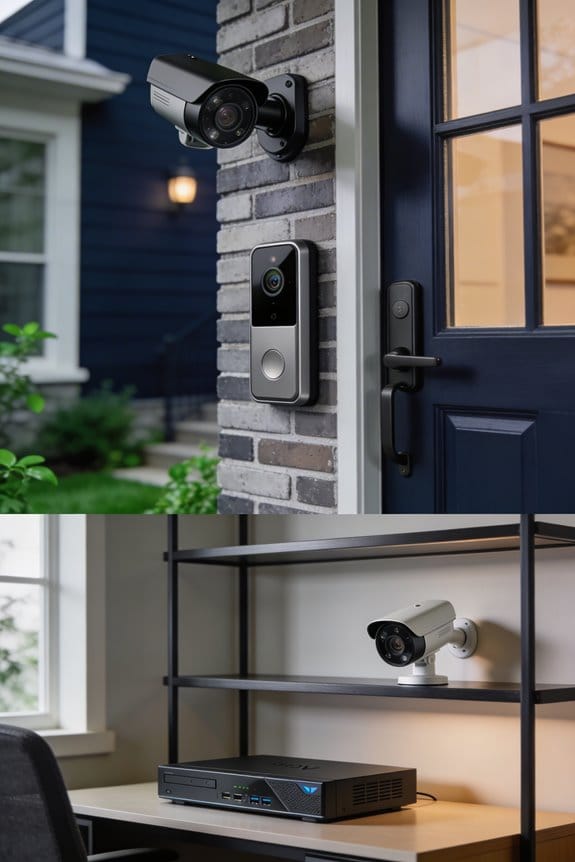

Pre-recorded voice responses let you automatically screen visitors through motion-activated audio messages that play when someone approaches your door, eliminating awkward face-to-face encounters with solicitors. I’ve found these systems cost between $20 to $80 for basic setups, delivering 15 to 45-second customized messages for delivery personnel, salespeople, or uninvited guests without requiring Wi-Fi or monthly fees. The professional tone discourages scammers by suggesting active property monitoring, while you maintain complete privacy and avoid direct communication with unwanted visitors—and there’s considerably more to understanding how these systems protect your home.
Key Takeaways
- Pre-recorded voice responses automatically deliver customized 15-45 second messages to visitors, creating barriers against unwanted solicitations while enhancing privacy.
- These systems cost $20-80 with no recurring fees, making them more affordable than smart doorbells priced at $100-400.
- Professional-toned messages discourage solicitors by suggesting property monitoring, making homes appear as difficult targets for unauthorized approaches.
- Automated responses eliminate awkward face-to-face encounters and remove solicitors’ ability to detect homeowner hesitation during interactions.
- Systems trigger via motion detection or doorbell press, allowing remote management and visitor interaction logs without requiring personal engagement.
What Are Pre-Recorded Voice Responses for Visitors?

Have you ever felt uneasy answering the door, especially when you’re not expecting anyone? Pre-recorded voice responses for visitors could be the solution you didn’t know you needed. These systems play automated audio messages whenever someone approaches your door or rings the doorbell, so you don’t have to interact in real-time.
Many of these voice response systems work hand-in-hand with smart doorbells, intercoms, or security cameras. You can easily customize messages tailored for different types of visitors, like delivery people, salespeople, or uninvited guests. The technology kicks in through motion sensors or by simply pressing the doorbell, and most messages last between 15 to 45 seconds.
Here’s the trick: you can program several messages for different situations. Maybe you want to tell delivery drivers where to leave packages or remind solicitors that you’re not interested. It’s a simple way to manage access to your home while giving your visitors some direction.
So, why does this matter? Well, it can really help enhance your privacy. By limiting direct communication, you’re keeping your space secure while still managing who gets to knock on your door. Honestly, it’s a win-win situation.
How Voice Messages Deter Solicitors and Scammers

Have you ever had pesky solicitors or scammers knock on your door? It’s frustrating, isn’t it? One way to create a barrier against these unwanted visitors is through automated voice messages. These messages can really change the way solicitors and scammers view your home as a target.
Truth is, the effectiveness of these voice messages boils down to a few key factors: a professional tone, clear boundaries, and the suggestion that your property is being monitored. Why does this matter? Research shows that when unwanted visitors think they’re being watched—thanks to pre-recorded messages—they’re more likely to turn around and look for an easier mark.
To make your voice message effective, try this: within the first 5-7 seconds, clearly state your property boundaries and mention any security measures in place. Additionally, consider providing a legitimate contact number for anyone who’s authorized to reach out. This signals to solicitors that your home isn’t an easy target. They often operate on a volume-based strategy, which means if they encounter a home that seems too tricky to engage with, they’ll likely move on.
Here’s the trick: the presence of automated voice response systems can drastically cut down on unauthorized approach attempts. When scammers and solicitors feel unsure about whether they’re being monitored, they’re far less likely to proceed. By simply adding this layer of protection, you not only improve your odds of keeping your space private, but you also make a solid investment in your home’s security.
Wrapping it up, automated voice messages can be a real asset in deterring those pesky solicitors and scammers. So, why not give it a shot? What steps are you planning to take to protect your home?
Video Doorbells With Voice vs. Audio-Only Intercoms

Have you ever wondered how to connect with visitors at your door without actually opening it? Both video doorbells and audio-only intercoms can help with that, but they offer pretty different experiences and levels of security.
Video doorbells come with high-resolution cameras, usually 1080p or more. They also have two-way audio that cancels out background noise. Plus, you’ll often find mobile apps that let you check in on your front door from wherever you are. These features are super handy for checking on package deliveries, verifying who’s there, and even recording interactions for later. Honestly, once you have one, it feels like you’re always in the loop when it comes to who’s at your doorstep.
On the flip side, audio-only intercoms are more budget-friendly, usually running between $50 and $150. While that’s a steal compared to video options, which can range from $150 to $400, you’re missing that visual element for confirming who’s at the door. Without a camera, you’re left relying on voice recognition and conversation alone. So, why does this matter? If a stranger comes knocking, you might not feel as secure just relying on a voice.
To put it simply, video doorbells can elevate your home security and keep you connected. If you want to be sure about who’s visiting or if you regularly receive deliveries, investing in a video system might be well worth it.
In the end, it all comes down to what you need. Are you looking for budget-friendly communication, or do you want the added safety of visual confirmation?
Recommended Products
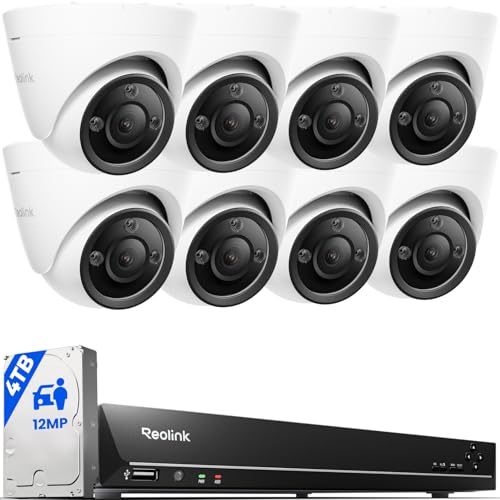
INCREDIBLE 12MP UHD IMAGE -- Mind-blowing 12MP PoE security camera system becomes affordable for your home and business security. Subtle details are recorded to ensure your peace of mind.
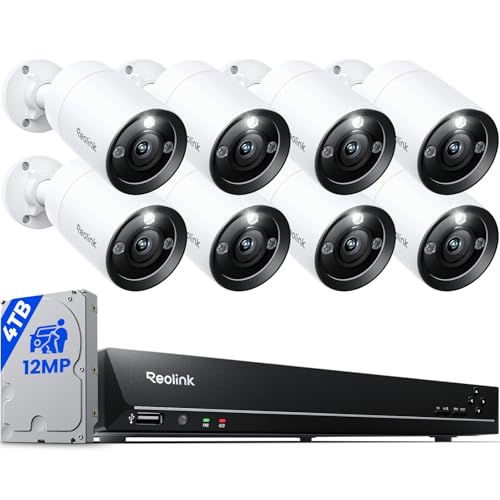
INCREDIBLE 12MP UHD IMAGE -- Mind-blowing 12MP PoE security camera system becomes affordable for your home and business security. Subtle details are recorded to ensure your peace of mind.

4K Triple-Lens Bullet-PTZ Camera: The upper 4K wide-angle camera provides a 122° fixed view of the entire scene, while the lower 2K PTZ camera features 8× auto-zoom and 360° pan for complete coverage. NOTE: To ensure you can use our PoE NVR Security System smoothly, please make sure your eufy APP is updated to the latest version of iOS V5.0.70/Android V5.0.71 or above.
How to Set Up Pre-Recorded Visitor Responses
Setting up pre-recorded responses for visitors can feel a bit overwhelming at first, but it doesn’t have to be. Have you ever been caught off guard by an unexpected visitor? With the right system, you can minimize those awkward moments and keep your routine intact.
After picking out the device that best fits your needs, it’s time to dive into the configuration settings, usually accessible via a mobile app or a web portal from the manufacturer. Here’s the trick: think ahead and record several different greetings tailored for specific scenarios. Consider making messages for delivery drivers, pesky solicitors, and friends or family who might stop by. You’ll find that most systems let you record messages that last between 15 to 30 seconds, which is just enough time to get your point across without making it feel rushed.
When you’re crafting those messages, be sure to include some clear instructions. For example, you might say, “Please leave packages by the garage door” or “No soliciting, thanks!” It makes things so much smoother. Don’t forget to test each recording before you flip the switch. You want to make sure the audio sounds good, the volume’s right, and the message is appropriate for the context.
Now, let’s talk about when these greetings actually trigger. This might vary based on your setup, but typically you can set it to activate with motion detection, a doorbell press, or even a schedule for the times when you’re usually out. So why does this matter? It adds a layer of convenience and security to your home, helping you manage who gets your attention and when.
To wrap it up, setting up pre-recorded messages is a smart way to handle unwanted visitors while keeping your day running smoothly. So, take a little time to personalize those greetings—you might just find it makes life a lot easier! How do you handle unexpected visitors?
Can You Legally Record Visitors at Your Door?
Recording visitors at your door can get complicated real quick. The legality of it all really depends on where you are, what you’re recording, and whether you’re picking up sound along with video.
Some states have strict rules—like needing permission from everyone being recorded. Others are more lenient and only require one person’s okay. If your camera happens to catch footage of public sidewalks or nearby properties, or picks up conversations without letting folks know, you might be crossing a line. So, it’s a smart move to check your local laws before slapping up those cameras. Getting it wrong can lead to serious trouble, like lawsuits or even criminal charges.
Let’s be real, video-only recordings usually come with less hassle than audio recordings. If your camera’s aimed right at your door, you’re generally in a better spot legally. Here’s the trick: make sure you put up some visible signs that say you’re recording, so there’s no surprise for visitors. Keep your recordings for a reasonable time—30 to 60 days is a good range—and make sure your camera’s focus is mostly on your entryway.
Will Automated Doorbell Messages Annoy Neighbors?
How loud does your automated doorbell message need to be before it sends your neighbors into a frenzy? Honestly, it’s a fine balance. Keeping the volume between 65-75 decibels seems to do the trick—it’s loud enough for visitors to hear but not so loud that it echoes across the street.
To really get a sense of how your doorbell sounds, try this: walk to different spots around your property, and even visit your neighbor’s yard. You might be surprised at how sound travels! The last thing you want is for your front step to become the neighborhood’s buzzing annoyance, especially if your doorbell goes off every time the delivery guy drops off a package.
Think about when your doorbell activates. People often start grumbling when they hear it early in the morning or late at night, especially when things are quiet outside. So, how do you fix that? Setting the activation times from 8 AM to 8 PM can help keep the peace.
Here’s another tip: consider directional speakers. They help focus the sound right at your entryway, rather than letting it spill over into your neighbors’ yards. It’s a simple adjustment that can make a big difference in noise levels.
And don’t forget about seasonal changes. Sounds travel differently in cold, dry air compared to humid summer days. You might need to tweak the volume as the weather changes.
5 Pre-Recorded Scripts That Stop Unwanted Visitors
Dealing with door-to-door solicitors, religious proselytizers, or those pesky salespeople can be incredibly frustrating. Ever found yourself stuck in an awkward conversation you just wanted to avoid? A good pre-recorded message might be just what you need to keep unwanted visitors at bay without needing to engage face-to-face.
Effective visitor management should convey three important things: your property’s rules, your disinterest in what they’re selling, and that you’re aware of the law. Consider setting up your smart security system with a message like, “This property operates under no-solicitation rules, and all interactions are recorded.” Or try, “We don’t purchase anything at the door, as per company policy.” These scripts are generally short, only about 8-12 seconds, but they clearly communicate your preferences while keeping things polite.
What about persistent visitors who just won’t take no for an answer? That’s when it’s time to up the ante with escalation scripts that refer to trespassing laws specific to your area. Frankly, this adds a layer of deterrent without putting you in the uncomfortable position of direct confrontation. Who wants that kind of hassle, right?
Here’s the trick: making your visitors aware of your rules sets firm boundaries. You want to create a situation where they understand they’ve crossed a line if they continue, without it ever having to get personal. So, take some time to think about what you want to say, and record those messages.
At the end of the day, having a solid plan to handle unwanted visitors will make your home feel more secure. Think about what message you want to convey—what’s important to you? Setting these boundaries might just save you from those awkward encounters in the future.
DIY Voice Doorbell Systems vs. Professional Installation
Choosing between DIY voice doorbell systems and calling in a professional can feel a bit overwhelming, right? It really comes down to a few key things: how tech-savvy you are, the state of your current wiring, and if you want your doorbell to work with other smart home gadgets.
Let’s look at some numbers. DIY systems generally run between $150 and $400, while hiring an installer can set you back between $500 and $1,200. Sure, that sounds like a big gap, but technology is advancing fast, making it easier for most folks to install things themselves. If your home already has doorbell wiring and a decent Wi-Fi connection, doing it yourself might save you some cash. But, here’s the catch—if you’re looking to connect your voice doorbell to other devices like alarm systems or smart locks, professional help might be worth considering.
Some people rate the ease of installing wireless DIY systems around 7.8 out of 10, while the score for hardwiring or tricky network setups takes a nosedive to about 4.2. So, why does this matter? If you’re not super comfortable with tech, it might be better to let someone else handle the heavy lifting.
As you weigh your options, think about what you really need. Are you looking to keep things simple, or do you want that seamless integration with your entire home security system? There’s no right or wrong choice here, just what fits your needs best.
In the end, whether you choose to tackle it yourself or bring in a pro, it all boils down to what you’re most comfortable with and what you hope to achieve. Have you thought about how your doorbell could fit into your home’s broader smart setup?
Recommended Products

NETWORK ENABLED TIMED ALERT 2 BUZZER SYSTEM for automated signalling shift rotations, breaks and any other timed signal applications in areas with high ambient noise levels. Access the software from any PC in the network, using any standard browser

Nighttime That's as Bright as Day: Harness the power of a 4K camera combined with MaxColor Vision technology. eufyCam S3 Pro captures exceptionally detailed surveillance footage in every frame, offering day-like image clarity even in ultra-low light conditions without the need for a spotlight.

360° Vision, Every Corner in Sight: Enjoy comprehensive coverage with a wide viewing angle, minimizing blind spots and allowing you to monitor your front porch, yard, or even your driveway.
Why More Homeowners Choose Automated Doorbell Voices
More homeowners are making the switch to automated doorbell voices. Why? These systems not only offer consistent security responses but also help you avoid those awkward encounters with solicitors at your front door.
If you’ve ever felt uncomfortable answering the door to salespeople, you know how valuable this technology can be. Think about how nice it would be to manage doorbell responses right from your smartphone—whether you’re at work, running errands, or even soaking up the sun on vacation. It gives you peace of mind, knowing you can screen visitors without face-to-face interaction and keep your personal space secure.
Ever notice how solicitors can sometimes sense your hesitation in a conversation? Automated systems eliminate that. They deliver the same professional responses every time, which means you can deter those persistent sales pitches without revealing anything about your availability or mood. Plus, the remote monitoring features are a bonus; you can check who’s been at your door, complete with recorded timestamps and video logs.
Honestly, these smart doorbells are all about convenience and control. They protect your privacy while keeping your home secure. So, why wouldn’t you want to give your doorstep a little upgrade?
Will Smart Doorbells Replace Pre-Recorded Messages?
As smart doorbells get fancier with features like two-way audio, high-def video, and AI that recognizes your visitors, it makes you think: are these high-tech devices about to leave good old pre-recorded messages in the dust?
Honestly, I think there’s room for both. They meet different needs and budgets. Smart doorbell systems usually let you chat with visitors in real-time and keep an eye on your front porch, but they run from $100 to $400 per unit. On the other hand, pre-recorded systems are super affordable, costing between $20 to $80, and you don’t have to deal with monthly fees or Wi-Fi issues.
Here’s the trick: customization in voice responses can be handy in both scenarios. Smart doorbells let you toggle between live responses and automated greetings, so if you’re tied up, you can still manage things from afar. Meanwhile, pre-recorded messages shine when you need to set firm boundaries without any back-and-forth, especially with pesky solicitors or if you just prefer to keep things automated when dealing with strangers.
So, why does this matter? Having both options means you can choose what fits your lifestyle and personal preferences. The best part is that you can mix and match according to your needs on any given day. Whether you’re having a chill day at home or just don’t want to engage with the outside world, you’ve got the tools to make it happen.
Frequently Asked Questions
Do Pre-Recorded Voice Responses Work With Existing Doorbell Systems?
I’ll need to verify compatibility checks between your existing doorbell and pre-recorded voice systems, as system integrations vary considerably. Some smart doorbells support this feature natively, while others require additional hardware or third-party adapters to work properly.
Can Visitors Tell if They’re Speaking to a Recording?
I’ll be brutally honest: sophisticated visitors can absolutely tell. Voice detection accuracy has improved dramatically, but visitor response behavior often reveals the truth—they’ll test with follow-up questions or notice the absence of real-time environmental sounds that’d naturally occur.
What Happens When Delivery Drivers Need Specific Instructions?
I recommend combining pre-recorded messages with live monitoring for delivery instructions. When driver communication requires specific details like gate codes or complex directions, I can quickly switch from automated responses to real-time interaction, ensuring packages arrive correctly.
Are Voice Responses Effective Against Persistent Solicitors?
I’ve found effectiveness analysis shows mixed results. While voice responses deter casual solicitors, they won’t stop persistent ones. Solicitor behavior patterns reveal that determined sellers simply wait, return later, or ignore automated messages entirely.
How Much Do Voice-Enabled Doorbell Systems Typically Cost?
I’ve found that voice-enabled doorbell systems range from $100 to $400, depending on the security features you want. Basic doorbell technology starts affordably, but advanced options with two-way audio and recording capabilities cost more.


